Internal linking is easy to neglect when your website has 20 articles. You know what you’ve published, you can remember the most relevant posts, and manually adding links doesn’t feel like a major task.
That changes as the site grows.
I manage two established content properties: Digital Whale Club and Grappler’s Graveyard. Digital Whale Club has roughly 50 articles, while Grappler’s Graveyard has grown to around 580. Once you’re managing hundreds of posts, remembering every relevant page and finding every possible linking opportunity becomes unrealistic.
That’s why internal linking needs to become a system rather than something you occasionally remember to do.
I’ve seen rankings, traffic, indexing speed, and conversions improve as my sites have grown. I wouldn’t attribute those results to internal linking alone. Backlinks, site age, content quality, and overall authority all matter. Internal linking supports those efforts by connecting related content and making the site more useful to readers.
The rule behind my entire process is simple:
Every internal link should help the reader understand the topic, answer the next question, or reach the most useful next page in their search journey.
What Is Internal Linking?
An internal link points from one page on your website to another page on the same website.
For example, a guide about starting an affiliate site might link to related articles about keyword research, WordPress plugins, affiliate programs, or content production.
Internal links generally fall into two categories:
- Navigational links, including menus, breadcrumbs, category pages, footers, and related-post sections
- Contextual links, placed inside an article where another page adds useful information
Both contribute to your site structure, but contextual links usually provide the clearest relationship between two pieces of content. The surrounding sentence explains why the linked page matters and what the reader will find there.
Why Internal Links Matter for SEO and User Experience
Internal linking is often discussed as an SEO tactic, but I think that framing is too narrow. Its first job is to improve the reader’s experience.
Internal links help readers continue their search journey
Someone rarely reaches a blog post with only one isolated question.
A reader learning how to build a content website may next want to know which hosting provider to use, how many articles to publish, or how long SEO takes. A reader comparing a product may need a full review, an alternative, or a guide explaining which features actually matter.
You don’t need to cram all of those answers into one article. You can give the reader a clear path to the next useful resource.
That makes each article more valuable without making it unnecessarily long.
Internal links help search engines discover pages
Google says links are one of the primary ways it finds new pages. It also recommends ensuring that every important page has a link from at least one other page on your site (source).
That doesn’t mean adding one internal link guarantees indexing. Google still decides which pages to crawl, index, and rank. Internal links simply give crawlers another route to the page and more context about how it relates to the rest of the site.
Internal links clarify relationships between articles
I think of this as supporting topical authority.
One article doesn’t make a website a comprehensive resource. A broad guide connected to several useful supporting articles shows much greater content depth.
Internal links help organize that coverage. They connect broad pages with narrower explanations, comparisons, reviews, and tutorials.
The links don’t create expertise by themselves. The content still has to be good. What they do is make the depth you’ve already created easier for readers and search engines to understand.
Internal links direct attention toward important pages
Not every page has the same purpose or value.
Some articles introduce a broad subject. Others answer narrow questions. Reviews, comparisons, and buying guides may generate revenue. A comprehensive guide may serve as the central resource for an entire section of the site.
Internal links let you direct readers toward those pages, provided the destination is genuinely relevant.
I intentionally look for opportunities to send more internal links to reviews, comparisons, and buying guides. But I won’t link to a commercial page simply because it makes money. It still needs to be the logical next step.
Build Your Structure Around Hubs and Supporting Content
A hub-and-spoke structure is one of the simplest ways to organize a content website.
The hub is a broad article covering the main subject. The spokes are narrower articles exploring individual questions, products, problems, or processes related to that subject.
A broad beginner’s guide might link to supporting content about:
- Essential terminology
- Common mistakes
- Recommended equipment
- Costs
- Training or implementation
- Product comparisons
- Frequently asked questions
The supporting articles should usually link back to the hub. Closely related supporting articles can also link to each other when the connection makes sense.
This doesn’t need to become a rigid diagram where every page links to every other page. The goal is to give every worthwhile article a logical place within the site.
When a post has no obvious linking opportunities, I look for a way to connect it to a broader subject. Even one or two relevant inbound links are better than leaving it isolated.
If you genuinely can’t connect a page to anything else, ask whether the topic belongs on the site at all. It may be outside your focus, need a new supporting cluster, or no longer deserve to remain published.
How Many Internal Links Should an Article Have?
There is no universal number of internal links that every article should contain.
A 700-word answer to a narrow question may only need two or three. A 4,000-word guide covering several subtopics may justify considerably more.
I add as many as make sense.
That means the destination must do at least one of the following:
- Explain something the current article can’t cover in depth
- Answer a likely follow-up question
- Provide a relevant example or comparison
- Help the reader make a decision
- Move the reader to the next step in a process
I don’t add links to hit a quota. Mass-linking articles that have little to do with each other makes the content less useful and creates a messier site structure.
Placement works the same way. I don’t follow a rule saying links must appear within the first 200 words or be evenly distributed throughout the article. I place each link where the surrounding discussion makes it useful.
How to Choose the Right Page to Link To
Sometimes several existing pages appear relevant. When that happens, I normally prioritize:
- The closest match to what the reader needs
- The most comprehensive resource
- The page that answers the next likely question
- A high-converting page, when it is also useful and relevant
Suppose you mention internal-linking software in a general SEO guide. You might have a short tutorial, a complete Link Whisper review, and a comparison of several WordPress SEO plugins.
The right destination depends on the sentence. A reader looking for setup instructions needs the tutorial. Someone deciding whether to buy the tool needs the review. Someone still exploring alternatives may need the comparison.
Don’t pick a destination solely because you want that page to rank or convert. Start with the reader’s intent at that exact point in the article.
Internal-Link Anchor Text
Anchor text is the clickable text used for a link.
Google recommends making anchor text descriptive, concise, relevant, and natural. It should help readers and search engines understand what they’ll find after clicking (source).
I use exact-match anchor text when it fits naturally. I also use partial-match phrases and other descriptive variations.
For example, a page titled “How to Start an Affiliate Website” could reasonably receive links using phrases such as:
- Start an affiliate website
- Building your first affiliate site
- Affiliate website setup process
- Complete affiliate-site guide
I don’t believe you need to manufacture awkward variations to avoid exact-match anchors on internal links. But I also wouldn’t force the target keyword into every link.
Read the sentence normally. The linked words should set an accurate expectation without sounding like they were inserted for a search engine.
Avoid anchors such as “click here” or “read this” when a more descriptive phrase would make the destination clearer.
My Internal-Linking Workflow for New Articles
My process begins while I’m still working inside WordPress.
1. Add outbound internal links while writing
As I create the new article, I link to relevant posts that already exist on the site.
Because I know my main topics well, I can often remember the right destination. In WordPress, I can highlight the anchor text, press Command + K on a Mac or Ctrl + K on Windows, and search for the page.
2. Find older articles that should link to the new post
This is the step many publishers forget.
Adding links from the new article to existing pages doesn’t give the new article any inbound internal links. Unless it appears in navigation or another automated element, it may still be orphaned.
After finishing the post, I find older articles where a link to the new page would add useful context.
3. Review Link Whisper’s suggestions
I use Link Whisper to surface both outbound and inbound opportunities.
Its WordPress interface can suggest relevant pages, identify orphaned posts, and report broken links. Those are the features that become especially valuable as a content library grows (source).
I accept many of its suggestions because they usually make sense. I don’t accept them blindly. If the destination doesn’t help the reader or the proposed anchor feels unnatural, I skip it.
4. Confirm that the post is connected
Before considering the process complete, I make sure the new article has relevant links going out and at least one useful contextual link coming in.
The goal isn’t to make a plugin report turn green. It’s to make the article a cohesive part of the site.

When Internal-Link Automation Becomes Worth Using
Internal linking is manageable when a site is small, but there’s still value in creating the habit early.
On Digital Whale Club, I started taking the structure seriously while the site was still around 50 articles. That made it easier to build correctly from the beginning.
Grappler’s Graveyard was different. I began using Link Whisper at around 100 articles. The site now has roughly 580, and software is far more important there.
My practical breakdown is:
- Under 50 articles: Manual linking is possible, although it can be tedious.
- Around 50–100 articles: Remembering every relevant post starts becoming difficult.
- Several hundred articles: Dedicated software becomes an indispensable part of the workflow.
The tipping point will vary depending on publishing frequency, team size, and how broad the website is. But you don’t need to wait until the site is unmanageable before putting a system in place.
Why Link Whisper Is My Preferred Tool
Yoast SEO Premium provides internal-link suggestions inside the WordPress editor, while Rank Math offers link suggestions and broader internal-link automation through its own tools (source, source).
Of the options I’ve tried, Link Whisper has been the most useful for internal linking specifically.
It helps me:
- Find suggested outbound links
- Add inbound links from existing content
- Locate orphaned pages
- Detect broken links
- Review the site’s link structure without opening hundreds of posts
That doesn’t mean every recommendation is perfect. Human judgment is still necessary.
I’m also not entirely convinced by every health metric in its dashboard. On Grappler’s Graveyard, I’ve made relevant improvements without seeing the internal-linking score change in a meaningful way. The scoring methodology isn’t always obvious, so I treat it as a prompt to investigate rather than an objective verdict on the site.
The tool is most useful when it helps you see opportunities you would otherwise miss. It shouldn’t make editorial decisions for you.
How to Audit Internal Links on an Existing Site
I review orphaned posts, broken links, and weakly connected content approximately once a week or a couple of times per month. It isn’t tied to a strict calendar. The audit is part of the ongoing publishing process.
Fix orphaned posts
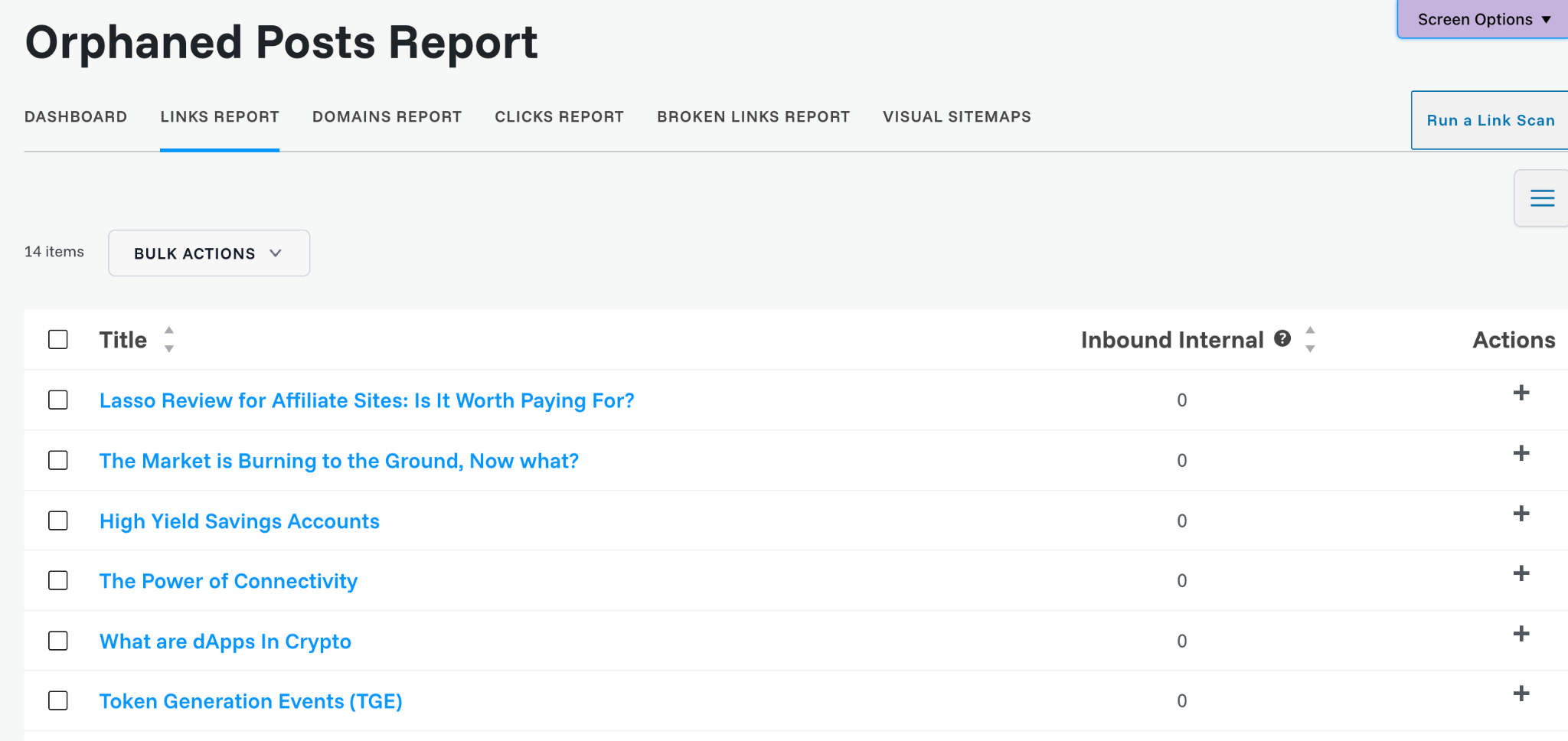
An orphaned post has no inbound internal links from other pages on the site.
For every orphan, find one or more existing articles where the page adds useful information. Don’t insert a random link just to clear the report.
Repair broken links
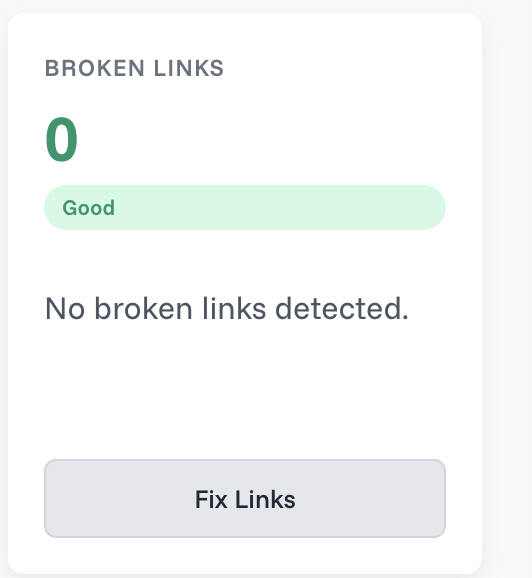
Links break when URLs change, pages are deleted, or content is reorganized.
Update the destination, replace the link with a better resource, or remove it when it no longer serves a purpose.
Revisit old and decaying content
When an old article has become weak or outdated, I may:
- Refresh the information
- Add missing sections
- Improve the presentation
- Add stronger internal links
- Merge it with another article
- Delete or redirect it
- Rework the topic as a substantially better article
I make that decision page by page. Republishing something as new isn’t automatically better than updating the existing URL, particularly when the old page already has backlinks, rankings, or history worth preserving.
Internal links can help older content, but they can’t rescue a page that no longer deserves to exist.
How to Tell Whether Your Internal Linking Is Working
Internal linking is difficult to isolate from everything else happening on a website.
A page may improve because you added links, refreshed the content, earned backlinks, or benefited from increased site authority. Often, several of those changes happen together.
Instead of searching for one perfect metric, look for a combination of signals:
- Fewer orphaned pages
- More clicks between related articles
- Faster discovery of new content
- Improved visibility across groups of related queries
- More traffic reaching important guides and commercial pages
- More affiliate clicks or conversions from relevant informational posts
- A clearer structure when you navigate the site yourself
Plugin scores can help identify problems, but they are not the final goal. The real test is whether readers can move naturally through your content and find the information they need.
Common Internal-Linking Mistakes
The most common problem is waiting until the site has hundreds of articles before thinking about its structure.
Other mistakes include:
- Adding outbound links to a new article but forgetting to build inbound links
- Accepting every automated suggestion without reviewing it
- Linking aggressively to commercial pages that don’t fit the discussion
- Following an arbitrary number of links per article
- Using vague anchor text that doesn’t explain the destination
- Leaving disconnected pages published indefinitely
- Trusting a plugin score more than editorial judgment
- Forgetting to revisit links when content is updated, deleted, or redirected
Internal linking should be maintained continuously. Every new article changes the number of useful connections available across the site.
Internal-Linking Checklist
For every new or updated article:
- Link to relevant existing resources while writing.
- Find older pages that can link back to the article.
- Use descriptive, natural anchor text.
- Confirm that the page is not orphaned.
- Prioritize useful next steps over link quotas.
- Link to commercial pages only when they fit naturally.
- Check for broken or outdated destinations.
- Revisit the structure as the content library grows.
Final Takeaway
Internal linking isn’t about stuffing more links into every article. It’s about turning a collection of individual posts into a connected resource.
Software such as Link Whisper makes that process much easier as a site grows, but relevance still has to guide every decision.
Every internal link should help the reader understand the topic, answer the next question, or reach the most useful next page in their search journey.
Frequently Asked Questions
How many internal links should a blog post have?
There is no ideal number for every post. Add links when the destination provides useful context or answers a likely follow-up question. A short article may need only a few, while a comprehensive guide may justify many more.
Do internal links improve SEO rankings?
Internal links can help search engines discover pages, understand relationships between content, and interpret anchor text. They may support better organic performance, but adding links does not guarantee that a page will be indexed or rank higher.
What is an orphan page?
An orphan page is a page with no inbound internal links from other pages on the website. Important pages should be connected to at least one relevant article so readers and crawlers have a clear route to them.
Is exact-match anchor text safe for internal links?
I use exact-match anchors when they sound natural and accurately describe the destination. Partial-match and descriptive variations are also useful. The priority should be clarity rather than forcing or avoiding a particular phrase.
When should I start using an internal-linking plugin?
Manual linking is usually manageable on a small site. A dedicated tool becomes more valuable around 50–100 articles and increasingly important as the site grows into hundreds of posts.